










Index
- What is a digital signature and how does it work?
- Legal Framework for Digital Signatures and Electronic Signatures
- Why is it important to create a secure digital signature?
- How to create a digital signature step by step
- How to Create a Valid and Secure Electronic Signature for Contracts and Official Documents
'/%3e%3cpath%20d='M13.6641%205.76325L30.0315%2018.448M50.9456%205.30859L31.8502%2019.8575L30.0315%2018.448M13.6641%2031.6784L30.0315%2018.448'%20stroke='white'%20stroke-width='2'%20stroke-linecap='round'%20stroke-linejoin='round'/%3e%3cpath%20d='M34.5781%2017.582L50.9456%2031.2216'%20stroke='white'%20stroke-width='2'%20stroke-linecap='round'%20stroke-linejoin='round'/%3e%3cdefs%3e%3clinearGradient%20id='paint0_linear_137488_197253'%20x1='12.75'%20y1='5.60216'%20x2='38.5997'%20y2='41.6392'%20gradientUnits='userSpaceOnUse'%3e%3cstop%20offset='0.161458'%20stop-color='%23FF8066'/%3e%3cstop%20offset='1'%20stop-color='%237756DB'/%3e%3c/linearGradient%3e%3c/defs%3e%3c/svg%3e)
The best content in your inbox
Paper overload and delays in finalizing agreements have been a constant problem in the corporate world. To address this challenge, knowing how to create a digital signature has become an essential requirement for any business. This profound transformation aims not only to streamline the closing of contracts but also to completely transform the way citizens, companies, and professionals interact in the digital environment.
In this article, we’ll take an in-depth look at what it means to create a digital signature, how it affects the security of your documents, the legal differences compared to other signatures, and what digital tools you need to create a legally binding digital signature online.
Choose the best digital signature solution with this free guide
Download nowWhat is a digital signature and how does it work?
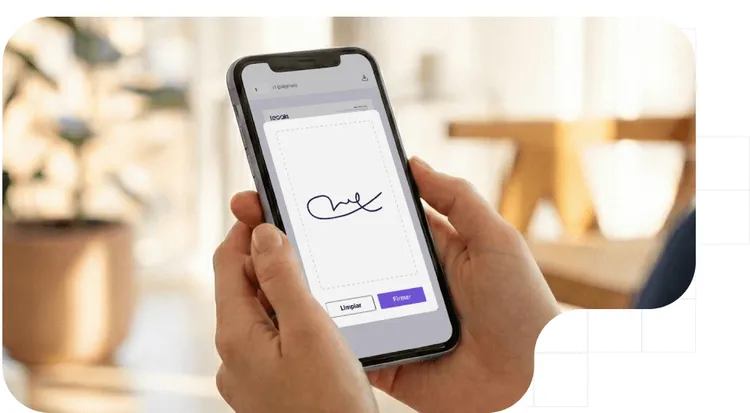
A digital signature is the graphical representation of a person’s handwritten signature in digital format. It is generally obtained by capturing the signature via a scanner, a photograph, or by drawing it on a touchscreen.
However, from a technical and legal standpoint, simply pasting an image into a PDF is not sufficient. For the process to be secure, the digitization must be based on platforms that guarantee the integrity of the document and the identity of the signer.
Therefore, the digital signature and the handwritten signature are related, with the former being a digital transposition of the latter. There are various digitization methods, which can be performed either in real time (drawing on a touchscreen) or later (subsequent scanning of a paper document).
A basic digitized signature (scanned image) lacks presumption of authenticity on its own. For the digitization of a signature to be valid as legal evidence, it must be transformed into an advanced electronic signature, incorporating biometric evidence, time stamps, and cryptography that prevent tampering with the contract.
Difference between a digitized signature, an electronic signature, and a digital signature
To avoid operational risks, it is crucial not to confuse these terms. A digitized signature is simply a scanned image of a handwritten signature that lacks legal guarantees or identity verification. It is the most basic and easily forged level, equivalent to a simple "copy and paste," where the text or attachments can be altered afterward, giving it such low evidentiary value that it requires costly forensic analysis in court.
For its part, the electronic signature is the legal concept (regulated by standards such as eIDAS) that defines any electronic data used to validate an agreement. This ranges from a simple PIN or an “I Accept” click to an advanced biometric signature that uniquely identifies the signer and guarantees that the document has not been altered, which is fundamental to the validity of procedural agreements.
Finally, the digital signature is the cryptographic technology that encrypts a document to guarantee its integrity and non-repudiation. It functions as the essential technical engine behind any advanced or qualified electronic signature, using a cryptographic hash that prevents any modification and ensures full traceability through an official, unalterable timestamp.
| Characteristic | Simple Digitized Signature | Advanced Electronic Signature |
| Concept | Graphic image of the handwritten signature. | Uniquely identifies the signer and guarantees that the document has not been altered, which is essential for the validity of procedural agreements. |
| Security and Integrity | The text or attachments can be altered after the fact. | Cryptographic seal (Hash) that prevents alterations. |
| Traceability | None. There is no reliable creation record. | Official and tamper-proof timestamp. |
| Evidentiary value | Low. Requires costly computer forensic analysis in court. | High. Generates a record of evidence with full legal validity. |
Legal Framework for Digital Signatures and Electronic Signatures
The regulatory framework underpinning the validity of these signatures in Europe is the eIDAS Regulation (EU Regulation 910/2014), which is structured and implemented through a series of key steps for trust services.
This establishes a European standard that unifies the technical and legal criteria for signatures across all member states. Ultimately, this leads to strict regulation of trust services, creating a secure and auditable framework for the provision of electronic signature services to citizens and businesses.
What type of signature is required for the document?
Not all documents require the same level of security. The choice between one type of signature and another will depend on the legal risk associated with the transaction.
- Simple electronic signature: Fast, but with low evidentiary weight. The burden of proof falls on the person presenting the document; they must demonstrate that the person actually signed it.
- Advanced electronic signature: Recommended. Uniquely links the signer and detects changes. Uses biometrics or OTP via SMS/email, offering high evidentiary weight.
- Qualified electronic signature: Maximum security, equivalent to a handwritten signature. Requires a prior digital certificate and offers maximum evidentiary weight. In fact, a qualified electronic signature has the same legal effect as a handwritten signature.
Why is it important to create a secure digital signature?
Implementing a robust digital signature system boosts profitability and business agility. By integrating it into onboarding processes, it allows you to close sales and sign contracts in minutes from any mobile device, eliminating traditional paperwork.
Additionally, it minimizes legal risks and identity theft fraud. By linking the signature to evidence such as biometrics, geolocation, and OTP codes, the system generates an unbreakable audit trail that shields every business transaction from any external audit.
Common problems when digitizing a signature without the right tools
Digitizing signatures using uncertified methods exposes companies to critical vulnerabilities in their operations. These flaws not only compromise the validity of agreements but also open the door to serious legal consequences.
- Lack of identity: When using basic and easily forged methods, it is impossible to reliably prove who actually signed the contract.
- Document tampering: If the signature is inserted as a simple image, the clauses in the file can be modified afterward, completely invalidating the agreement reached.
- GDPR penalties: Forgoing reliable and secure channels does not result in savings, but rather poses a structural risk that exposes the company to fines in the millions for violating data protection regulations.
- Denial of the agreement: Without solid cryptographic evidence that uniquely links the user, the signer can legally deny having given consent, leaving the company with no room to maneuver.
- Absence of a time stamp: Without a certified time stamp, it is impossible to irrefutably prove the exact date and time of the signature, which allows the validity or compliance deadlines of the contract to be questioned.
- Lack of evidentiary traceability: Since it does not generate a complete auditable record (device, IP, authentication process), the document lacks the necessary context to stand as valid evidence in the event of a legal dispute.
Discover how Ibercaja digitized the Pensumo signature
Download success storyHow to create a digital signature step by step
Digitizing this process provides immediacy and a drastic reduction in errors because fields are validated in real time. To obtain a signature quickly, leading companies adopt 100% digital workflows where they first select a Trusted Service Provider (in compliance with the European eIDAS regulation) and then upload the document or contract to the secure platform. Next, they send an omnichannel notification that allows the customer to receive the signature link directly via SMS, WhatsApp, or email, depending on their personal preference.
Once received, the user opens the link, reviews the information, and signs using biometrics or an OTP by entering a PIN code in less than 30 seconds, without installing any apps. When the user signs on the touchscreen, the software not only saves the image but also captures biometric parameters (speed, acceleration) and secures the document’s integrity using a hash algorithm. Finally, centralized digital custody is established, where the signed document and its audit trail are automatically saved in your management system.
Tools for creating a legally valid digital signature online
For 95% of administrative and commercial procedures, Tecalis Sign elevates a simple stroke to the category of an advanced or qualified electronic signature, creating irrefutable legal proof through:
- Unambiguous linking: Authenticates the user in real time using robust methods, such as one-time passwords (OTP) sent to a mobile device.
- Biometric and metadata capture: Records the IP address, geolocation, device data, and biometric signature in the background.
- Qualified time stamp: Applies an official cryptographic time stamp that certifies the exact date and time, protecting the document against tampering.
- Evidence document: Consolidates all technical evidence into an attached audit document, essential for any legal dispute.
- Identity verification (KYC): Integrates artificial intelligence to validate the signer’s identity document, providing maximum legal certainty.
- Compliance and UX: Ensures compliance with international regulations (such as eIDAS) while guaranteeing a fast, frictionless experience from any device.
In short, integrating Tecalis Sign transforms a vulnerable process into an unbreakable legal guarantee for your business. It is the ultimate solution for scaling your digital operations with complete security, agility, and strict regulatory compliance.
Using certified platforms like Tecalis Sign transforms a vulnerable process into an unbreakable legal guarantee for your business. By elevating the signature to the category of an advanced or qualified electronic signature, the system captures the IP address, geolocation, and biometric data of the stroke in the background, securing the document with an official qualified time stamp.
How to Create a Valid and Secure Electronic Signature for Contracts and Official Documents
Transforming a basic digital signature into a valid and secure electronic signature for official contracts requires the coordination of several technological elements. First, it is vital to achieve robust identification of the signer using mechanisms such as two-factor authentication (2FA) before capturing the signature. For example, accessing the document via email and subsequently requiring a PIN code sent via SMS to the personal mobile phone ensures that the identity is fully validated.
Furthermore, to safeguard legal evidence and traceability, the final document must be encapsulated with a digital certificate issued by a Certification Authority, including a timestamp that mathematically certifies it has not been altered. Added to this is the need to integrate electronic signatures into digital processes via RESTful APIs, allowing ERP and CRM systems to automate the generation and return of the signed contract directly to the client’s digital file.
How to Reduce Friction When Signing Documents Online
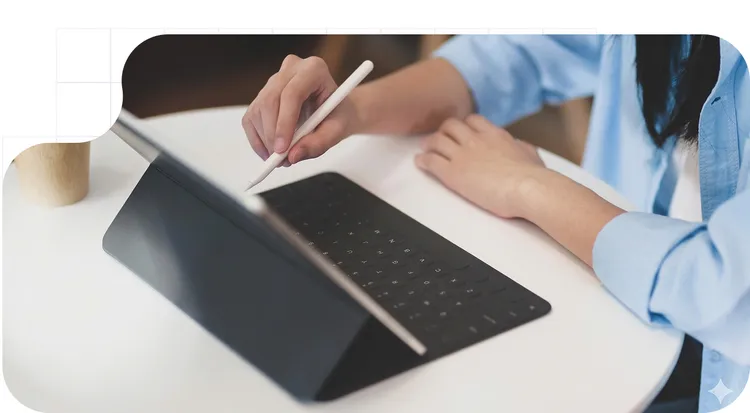
To reduce friction when signing documents online and prevent customers from abandoning the legal process, the key is to prioritize a seamless user experience without sacrificing regulatory compliance. One of the fundamental steps to achieve this is to offer a 100% web-based, download-free signing solution, where the user can sign directly from their mobile browser without being forced to install third-party apps, outdated plugins, or create accounts beforehand.
Furthermore, it is essential to ensure full mobile compatibility. The workflow must be meticulously designed so that reviewing and biometrically signing a complex document, such as an insurance policy, takes only a few seconds and can be completed conveniently from anywhere.
All of this directly contributes to accelerating the closing of deals. By eliminating technical obstacles and offering a truly seamless process, the time required to finalize agreements and generate revenue is drastically reduced, thus demonstrating that maximum legal security is fully compatible with excellent usability.
Frequently Asked Questions (FAQs)
- Is a digitized signature the same as an electronic signature? No. A digitized signature is merely an image of the stroke. An advanced electronic signature is the level of signature that uniquely identifies the signer and guarantees that the document has not been altered.
- Can I paste a photo of my signature into a contract? Physically, yes, but legally it lacks strong evidentiary value, since the text or attachments can be altered afterward.
- Is it legal to sign from a mobile device? Yes, it is fully valid and legal. Under the eIDAS Regulation (EU Regulation 910/2014), electronic signatures have full legal validity throughout the European Union.
- What happens if the client denies having signed? If you use an advanced electronic signature, you will have an audited evidence document that technically and legally proves the signer’s identity, preventing fraud.
Try our electronic signature and verification solutions
Get your free account